
Checkpoint · visitor management
A busy entrance.
A clear record.
Retire the visitor book. Give reception, hosts, and guards one place to follow a visit — from the first hello to the final checkout.
Set up per organisation · staff sign in with issued credentials
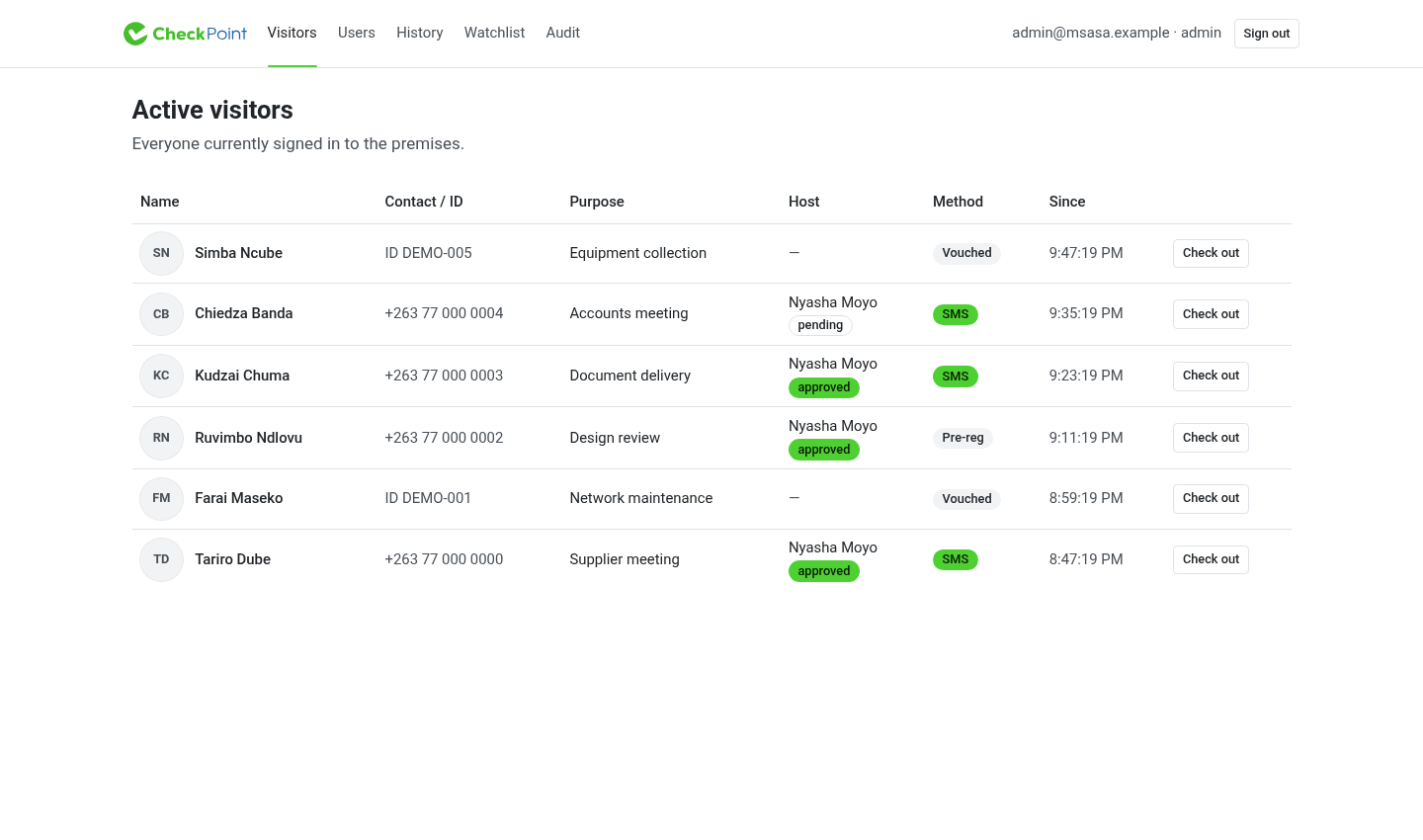
Real Checkpoint screens, populated with fictional demonstration data.
the concept.
The visitor book deserves an upgrade.
A name in a counter book tells only part of the story. Who were they visiting? Did the host respond? Which guard let them in? Have they left?
Checkpoint connects those moments in one visit record. The guard has a list to work from, the host can respond to an arrival, and the administrator can review the history when a question comes later.
It is Wanika’s work at the entrance: the same care for everyday records, applied to the people coming through your door.
one visit.
A beginning, a decision, and an end.
- 01
Arrive
Check in at the kiosk with a phone code or an invitation. A guard can also record a vouched arrival.
- 02
Meet
Choose a host, state the purpose, and let the host respond to the visit request.
- 03
Visit
Keep the visit visible to the gate team, with a badge and any declared vehicle or belongings.
- 04
Leave
Record checkout. The visit leaves the active list and stays available in the history.
arrivals.
A welcome that starts with the facts.
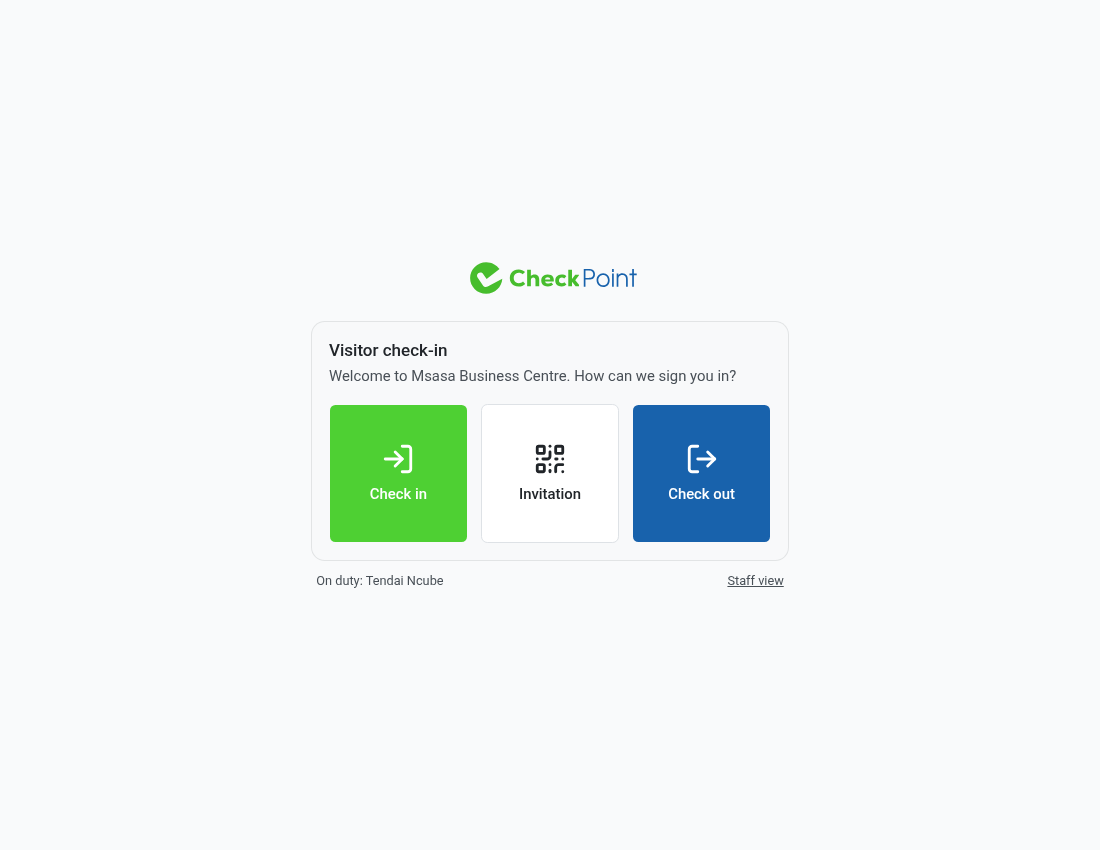
The kiosk gives visitors a place to begin. Verify a phone number, use an invitation, or ask the guard to help. The way someone checked in stays attached to their visit.
- Phone verification with a one-time code
- Pre-registered visits using an invitation QR or code
- Guard-vouched arrivals when a visitor needs assistance
hosts.
Your visitor is here. Have your say.
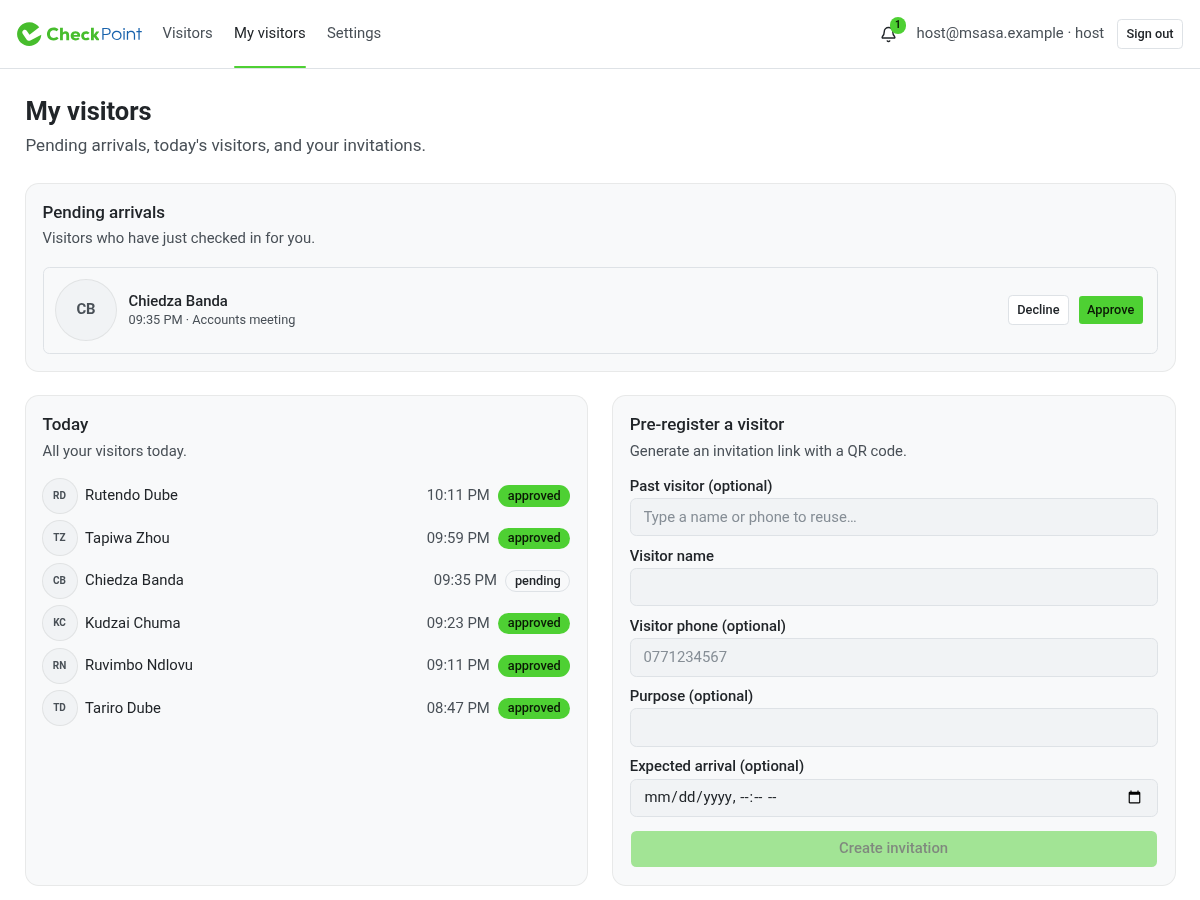
Expected guests start with an invitation. Walk-in requests appear for the host to approve or decline. The host’s view brings pending arrivals, today’s visitors, and invitations together.
- Create invitations with a shareable link and QR code
- Approve or decline an arrival request
- Set a timeout and a policy for unanswered requests
the gate team.
The details that matter on a shift.
shifts.
A handover with something to hand over
Guards clock in and out. The active visitor list gives the next shift a shared record to work from, and the kiosk closes check-in when no guard is on duty.
belongings.
The laptop came in with them
Record a vehicle's plate, make, and colour, plus declared items and serial numbers. Keep those details attached to the visit for reference at departure.
badges.
Give the visit something to wear
Print a visitor badge tied to the visit. Reception, the host, and the gate team have a common reference throughout the stay.
watchlists.
Keep access restrictions in view
Administrators maintain the organisation's watchlist. Matching visitor details are checked during arrival, with blocked attempts recorded for review.
history.
The visit ends. The record stays useful.
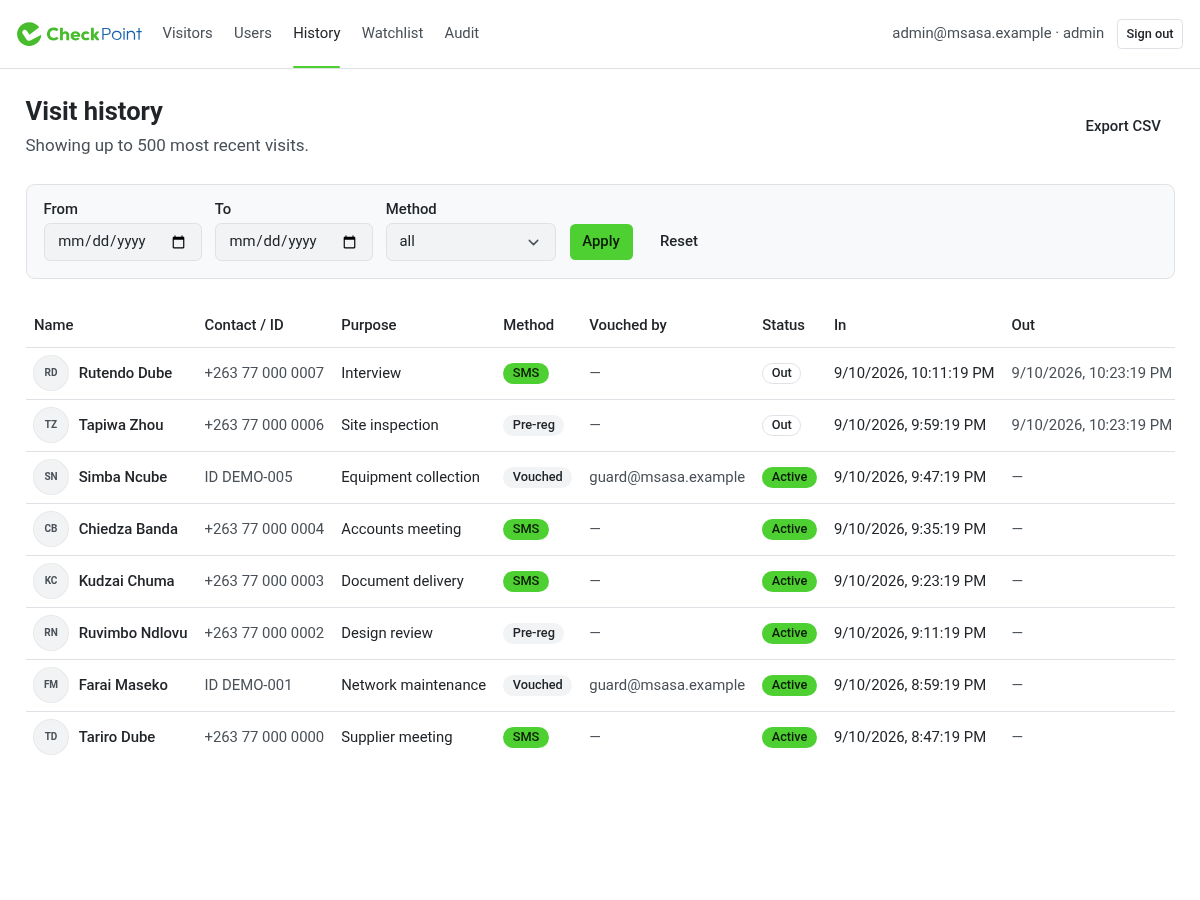
Checkout takes a visitor off the active list. Administrators can return to the history, filter visits, and export records when they need to follow up.
- Arrival and departure times in the same record
- Visit status and check-in method kept in view
- CSV export for further review
oversight.
Answer the follow-up question.
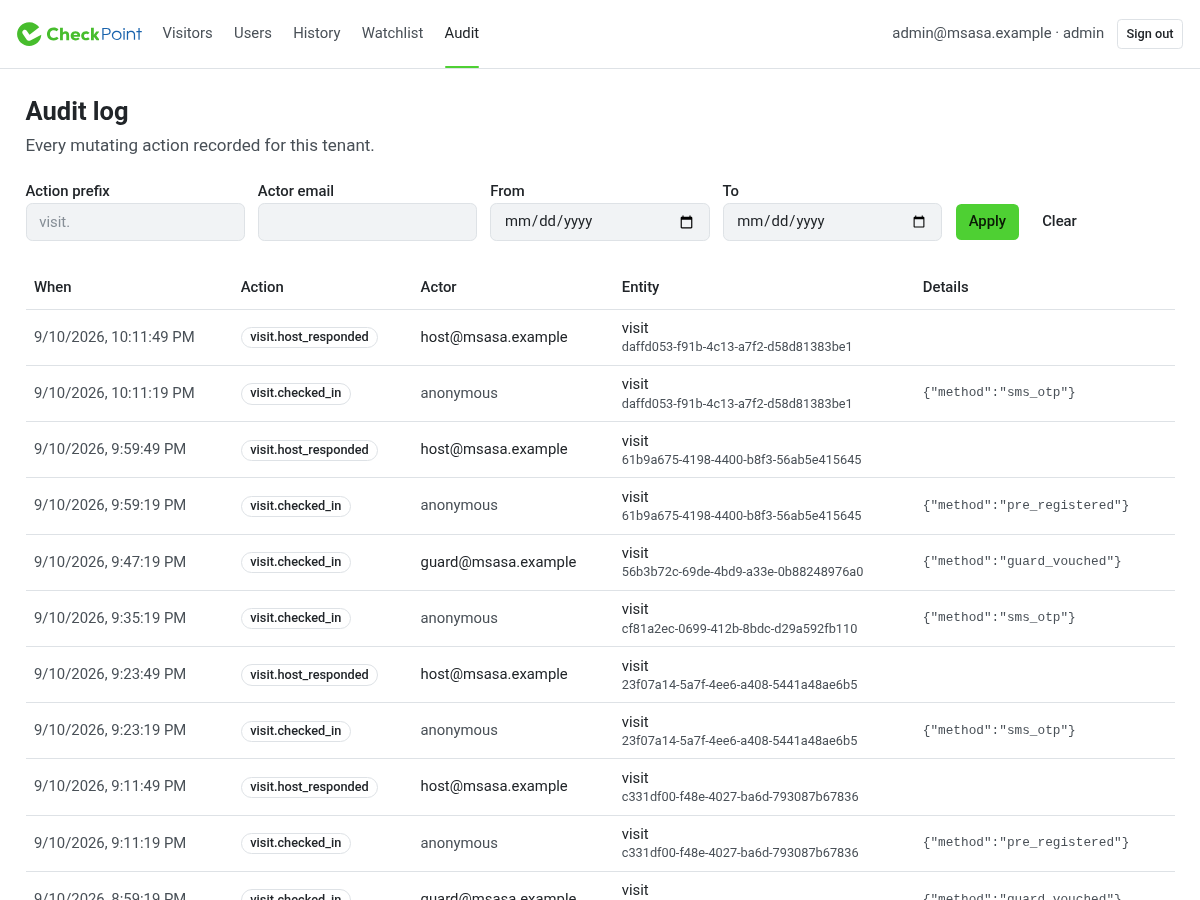
When a visit needs a closer look, the audit log gives administrators a view of recorded actions, times, and actors. Filter by action, staff member, or date to narrow the review.
Useful records for the people responsible for the premises — during the shift and after it.
before you begin.
A few practical questions.
Where does Checkpoint fit?
Offices, schools, warehouses, and residential complexes all receive people who need to be accounted for. Checkpoint brings the visitor record, host response, and gate team's work into one browser application.
Does every visitor need a phone?
No. Visitors can verify access to a phone number with a one-time code, or a guard can record a vouched arrival with identifying details. The record distinguishes the methods and identifies the guard who vouched. A phone code verifies access to that number, not legal identity.
What happens if the host does not respond?
Hosts have a response timeout and a no-response policy. The policy can allow the visit automatically or block it. Configure this to match the organisation's access rules before using host approvals.
Who can see and manage the records?
Staff have organisation-scoped roles. Guards work the entrance, hosts manage their own invitations and visit requests, and administrators manage staff, watchlists, visit history, and audit review.
How do we get started?
Checkpoint is set up per organisation. Once your organisation is configured, your administrator issues staff credentials and assigns roles. Use those credentials at staff sign-in. Wanika ID sign-in is not currently connected.
checkpoint.
Give the next shift a clear record.
Visitors, hosts, guards, and the history of the gate — in one place. Sign in with the staff credentials issued by your organisation.